
This document is the instruction manual of PDT-2250 RPM controller, which details the features, functions, and precautions of the product.
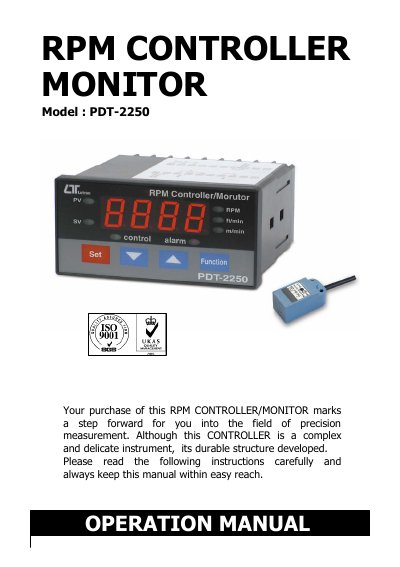
This manual provides instructions for operating the PDT-2250 RPM controller monitor, including setup, measurement procedures, and relay functions. It details how to configure RPM, surface speed (m/min, ft/min), and alarm/control settings. The device features RS232 serial output for PC integration and supports optional proximity sensors. Safety warnings and environmental specifications are included for proper use.
| Display | 4 digits red LED, digit size : 14 mm |
|---|---|
| Accuracy | ± ( 0.1 % + 1 digit ) |
| Operating Temperature | 0 to 50 ℃ |
| Power Supply | 90 to 260 ACV, 50/60 Hz |
| Weight | 384 g/ 0.84 LB |
| Dimensions | DIN size : 96 x 48 mm, Depth : 110 mm |
| RS232 Baud Rate | 9600 |
Do not apply the relay contact load current > 0.5 A, otherwise the relay may be damaged permanently without warranty.
Power on the meter, press " Set Button " and " Function Button " continuously more than 5 seconds until the Display shows " rSt ", then release. After " rSt " flashes twice, the system returns to normal with all calibration data cleared.