
This is a user manual for a respiratory device, which introduces how to use the device, how to enter provider mode to modify device settings, and how to use the user interface
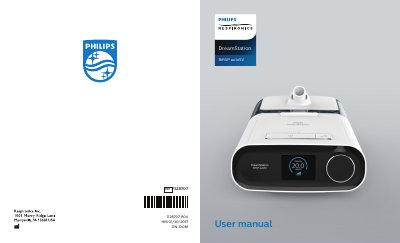
This document is a Provider Guide for the Philips Respironics DreamStation BiPAP autoSV. It instructs medical professionals on how to unlock the device to access and modify settings that are restricted for standard users. Accessing Provider mode requires holding the control dial and Ramp button for at least 5 seconds while the device is powered.
Once in Provider mode, the guide describes various screens for adjusting therapy parameters such as Opti-Start, Max Pressure, EPAP, and Pressure Support (PS). It also covers alarm configurations for patient disconnect, apnea, and low minute ventilation, as well as comfort settings including humidification, SmartRamp, Flex, and mask type resistance control.
| Max Pressure Range | 4 to 30 cmH2O |
|---|---|
| EPAP Min Range | 4 cmH2O to 25 cmH2O |
| PS Min Range | 0 cmH2O |
| BPM Range | Off, Auto, or 4 through 30 |
| Inspiratory Time (Ti) Range | 0.5 to 3.0 seconds |
| Apnea Alarm Options | 0, 10, 20, or 30 seconds |
| Humidifier Settings | 0, 1, 2, 3, 4 or 5 |
| Ramp Time Range | 0 (off) to 45 minutes |
Supply power to the device, then press and hold both the control dial and the Ramp button for at least 5 seconds.
The maximum pressure setting can be adjusted from 4 to 30 cmH2O in 0.5 increments.
Yes, the Minimum EPAP can be adjusted from 4 cmH2O up to the lesser value of either maximum pressure or 25 cmH2O.
The device supports Philips Respironics 22 mm tubing and 15 mm tubing, with automatic detection for heated tubing.