
PEUGEOT Android Auto User Guide

Android Auto is a connection system between Android phones and cars, supporting the use of Android phone navigation, calls, music and other functions in the car.

PEUGEOT Android Auto User Guide - cover page
Brand
PEUGEOT
Category
Car
Document type
User Manual
Language
English
Pages
4
File format
PDF
File size
764 KB
Published
17 October, 2023
Updated
17 October, 2023
MD5 checksum
B653DA24C640A3F92B7B152BF5713142

About this manual

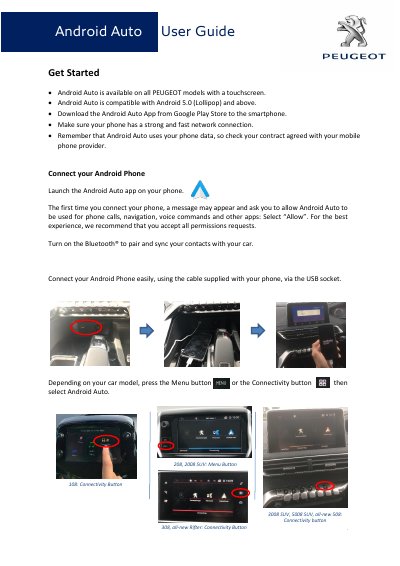
This user guide provides instructions for setting up Android Auto on PEUGEOT vehicles equipped with a touchscreen. It details the requirements, such as having an Android 5.0 or higher smartphone and a strong network connection, and explains the initial connection process via USB.

What's inside

  • Get Started
  • Connect your Android Phone
  • Voice Recognition
  • Phone calls
  • Text messages
  • Google Maps
  • Google Play Music
  • Additional Function

Frequently asked questions

Which PEUGEOT models support Android Auto?

All PEUGEOT models with a touchscreen support Android Auto.

What is the minimum Android version required for Android Auto?

Android Auto is compatible with Android 5.0 (Lollipop) and above.

How do you activate voice recognition in Android Auto?

Activate voice recognition by pressing the Micro Button or saying ‘OK Google’.

Which apps can be accessed through Android Auto?

Apps like Google Maps, Google Play Music, IHeartRadio, Spotify, and Waze can be accessed.

Download PDF (764 KB)

More PEUGEOT Manuals


View all PEUGEOT manuals →