
This guide mainly introduces how to use Peugeot Planet and Diagbox software, including software installation, vehicle connection and software operation steps for fault diagnosis.
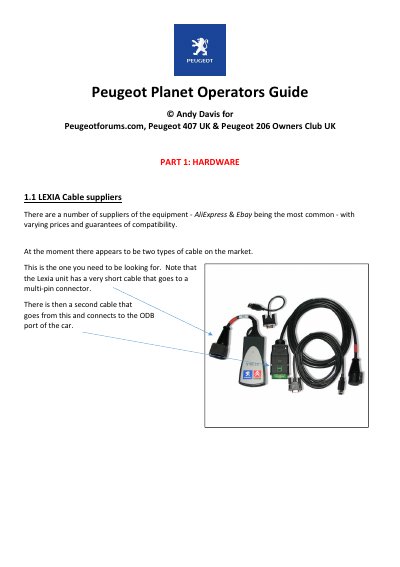
The document serves as an operator's guide for the Peugeot Planet diagnostic software. It begins by identifying compatible Lexia cables and recommending suitable netbook laptops for running the application on Windows XP.
The text provides detailed instructions on setting up the hardware environment, including partitioning hard drives, creating backup images using tools like Norton Ghost, and installing the operating system. It concludes with a brief overview of software features such as component testing and configuration options.
The required cable must have FIRMWARE REVISION C.
Planet works with Windows XP, which is common on older netbooks.