
AutomationDirect CLICK PLUS PLC Installation and Wiring Manual

Introduced the mechanical design of CLICK PLUS PLC and the related installation and wiring content
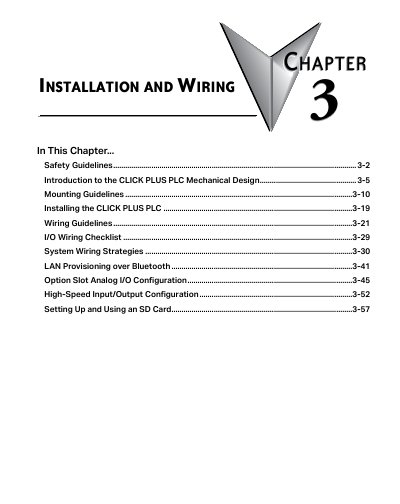

AutomationDirect CLICK PLUS PLC Installation and Wiring Manual - cover page
Brand
Automation Direct
Category
Industrial Robot
Document type
User Manual
Language
English
Pages
58
File format
PDF
File size
4.9 MB
Published
17 October, 2023
Updated
17 October, 2023
MD5 checksum
CE987F3EED6B52299AB416BB8852C1EF

About this manual

This document provides comprehensive installation and wiring instructions for the CLICK PLUS Programmable Logic Controller (PLC). It details safety guidelines, mechanical design features, and specific procedures for mounting the unit and connecting power.

What's inside

  • Safety Guidelines
  • Introduction to the CLICK PLUS PLC Mechanical Design
  • Mounting Guidelines
  • Installing the CLICK PLUS PLC
  • Wiring Guidelines
  • I/O Wiring Checklist
  • System Wiring Strategies
  • LAN Provisioning over Bluetooth
  • Option Slot Analog I/O Configuration
  • High-Speed Input/Output Configuration

Specifications

Input Power24VDC
Power Supply ModelsCO-00AC, CO-01AC
Power Supply Output (CO-00AC)0.5 A @ 24VDC
Power Supply Output (CO-01AC)1.3 A @ 24VDC
Expansion SlotsTwo built-in expansion slots
High-Speed Bus AccessSlot 0

Frequently asked questions

Can multiple CLICK power supplies be attached directly to a CLICK PLUS PLC system?

No, only a single CLICK power supply can be attached directly to a CLICK PLUS PLC system.

Where is the high-speed bus located on the CLICK PLUS PLC?

The high-speed bus is accessed via the first Option Slot, designated as Slot 0.

Download PDF (4.9 MB)

More Automation Direct Manuals


View all Automation Direct manuals →