
This document is the instruction manual for PowerTank Lithium Pro. It introduces the features and characteristics of the product, including charging, use, maintenance, etc.
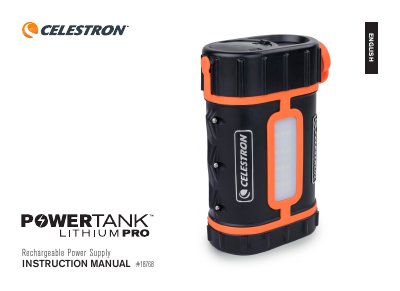
The Celestron PowerTank Lithium Pro is a rechargeable power supply designed for telescopes and USB devices. It features a 158.74 Wh Lithium Iron Phosphate battery and includes a 16V DC input for charging and multiple output ports. The device allows users to charge USB devices via a dedicated port and power telescopes through a specific threaded connector.
| Battery Chemistry | Lithium Iron Phosphate (LiFePO4) |
|---|---|
| Battery Capacity | 158.74 Wh |
| Input | 16V DC, 2000 mA |
| Charge time | 6 hours |
| Output current for telescope | 12V DC @ 5A |
| Output current for car battery port | 12V DC @ 10A |
Press the power button once; four lights mean full, three mean 75%, two mean 50%, and one means 25%.
Press the lighting control button once to activate red LEDs, press a second time to increase brightness, and press a third time to turn it off.
Press and hold the Power Button for two seconds.