
This is an electronic product manual, which contains the operating instructions of the product, the main features are that it can be set to automatic on and off, voice prompts chessboard movements, and support the undo function
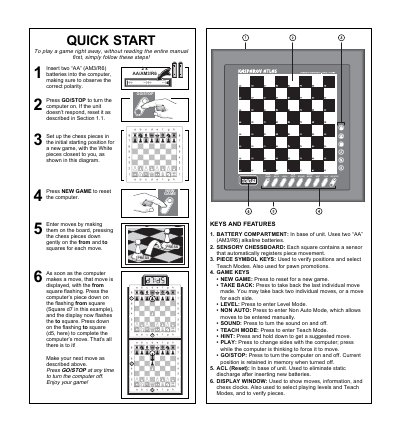
This manual guides users through the operation of an electronic chess computer designed for both play and learning. It details the setup process, including battery installation and initial configuration, as well as the basic mechanics of making moves on the sensory chessboard. The device features a display window for game status and piece verification, and includes specific keys for controlling game flow, sound, and difficulty levels.
The document covers advanced features such as 'Teach Mode' for learning chess, 'Non Auto Mode' for manual entry, and various playing levels ranging from 'Fun' to 'Fixed Depth'. It also explains special chess rules handled by the computer, such as check, mate, draw, and illegal moves, along with troubleshooting steps for resetting the unit.
| Power Source | Two "AA" (AM3/R6) alkaline batteries |
|---|---|
| Battery Life | Up to 200 hours |
| Reset Method | ACL hole in base |
Press the ACL reset button in the base of the unit using a paper clip or sharp object for at least one second.
The unit requires two "AA" (Type AM3/R6) alkaline batteries.
Lightly press down on the piece you want to move until you hear a beep, then press it down on the destination square.