
Akoya Biosciences PhenoImager HT Automated Quantitative Pathology Imaging System User Guide

This is a user manual that describes how to use PhenoImager HT (formerly Vectra Polaris) software.
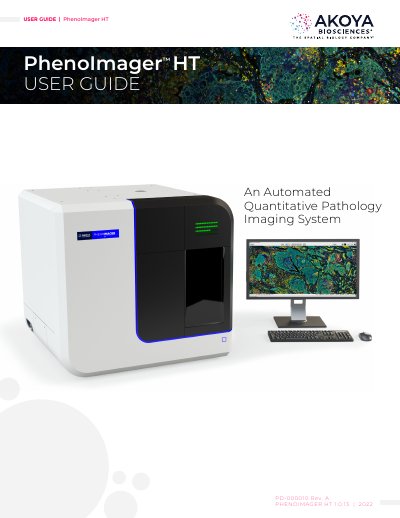

Akoya Biosciences PhenoImager HT Automated Quantitative Pathology Imaging System User Guide - cover page
Brand
Akoya Biosciences
Category
Other
Document type
User Manual
Language
English
Pages
113
File format
PDF
File size
8.6 MB
Published
16 October, 2023
Updated
16 October, 2023
MD5 checksum
6FC89B9084108EF0DAD1E048CF7FDA44

About this manual

This manual provides instructions for the Akoya Biosciences PhenoImager HT, an automated quantitative pathology imaging system. It covers instrument safety, intended use, and principles of operation including whole slide scanning and multispectral field imaging. The guide details hardware references, system startup and shutdown procedures, slide loading, and software operation for creating protocols and scanning slides. It also includes maintenance instructions for cleaning the instrument exterior, monitor, and slide carriers, as well as replacing fuses.

What's inside

  • Instrument Safety
  • Intended Use
  • Principles of Operation
  • Whole Slide Scanning
  • Multispectral Field Imaging
  • System Startup
  • System Shutdown
  • Software Operation
  • Cleaning the Instrument
  • Replacing the Fuses

Specifications

Weight185 lbs. (84 kg)

Frequently asked questions

Who should perform installation, servicing, and moving of the PhenoImager HT?

Only qualified Akoya Biosciences or PerkinElmer service personnel should perform these tasks.

What is the weight of the PhenoImager HT instrument?

The instrument weighs 185 lbs. (84 kg).

Download PDF (8.6 MB)