
Key facts
- Manuals
- 1
- Languages
- EN
- Last added
- 2023-10-16
Featured Akoya Biosciences manuals
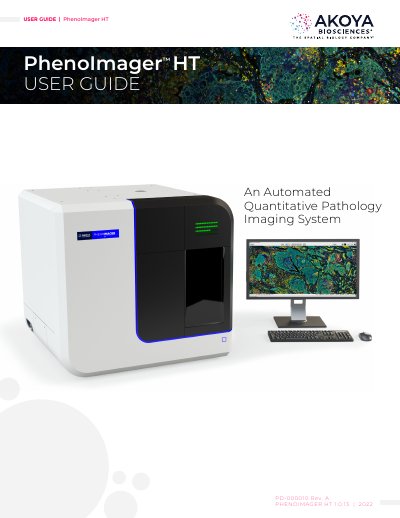
Akoya Biosciences PhenoImager HT Automated Quantitative Pathology Imaging System User Guide
This manual provides instructions for the Akoya Biosciences PhenoImager HT, an automated quantitative pathology imaging system. It covers instrument safety, intended use, and principles of operation including whole slide scanning and multispectral field imaging. The guide details hardware references, system startup and shutdown procedures, slide loading, and software operation for creating protocols and scanning slides. It also includes maintenance instructions for cleaning the instrument exterior, monitor, and slide carriers, as well as replacing fuses.
Covers: Instrument Safety · Intended Use · Principles of Operation · Whole Slide Scanning · Multispectral Field Imaging · System Startup
Latest Akoya Biosciences manuals
Akoya Biosciences PhenoImager HT Automated Quantitative Pathology Imaging System User Guide
User Manual 113 pages · 8.6 MB · ENUser guide for the Akoya Biosciences PhenoImager HT automated quantitative pathology imaging system, covering safety, operation, and maintenance.
Which document do I need?
User Manual
Day-to-day operation, settings and troubleshooting. Start here if the product is already set up.
Questions answered in Akoya Biosciences manuals
Who should perform installation, servicing, and moving of the PhenoImager HT?
Only qualified Akoya Biosciences or PerkinElmer service personnel should perform these tasks.
From: Akoya Biosciences PhenoImager HT Automated Quantitative Pathology Imaging System User Guide
What is the weight of the PhenoImager HT instrument?
The instrument weighs 185 lbs. (84 kg).
From: Akoya Biosciences PhenoImager HT Automated Quantitative Pathology Imaging System User Guide