
Victorinox BTM420 Presentation Master Bluetooth Remote User Guide

This document is the instruction manual for Victorinox AG's Presentation Master
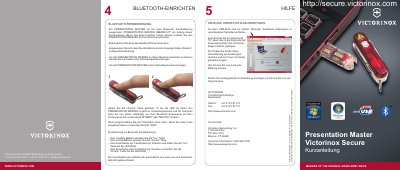

Victorinox BTM420 Presentation Master Bluetooth Remote User Guide - cover page
Brand
Victorinox
Category
Other Electronics
Document type
User Manual
Language
German
Pages
2
File format
PDF
File size
3 MB
Published
16 October, 2023
Updated
16 October, 2023
MD5 checksum
3D39529C71924D8EF8585C51E4362845

About this manual

This document serves as a quick guide for the Victorinox PRESENTATION MASTER Bluetooth remote control (model BTM420). It explains how to pair the device with a computer and details the functions of the remote's buttons for navigating presentations. The guide also notes that the remote automatically powers off after a period of inactivity. This manual is written in German.

What's inside

  • Bluetooth-Einrichten Hilfe
  • Bluetooth-Fernbedienung
  • Kurzanleitung zur Bluetooth Fernbedienung
  • PRESENTATION MASTER ÜBERSICHT
  • VICTORINOX SECURE ÜBERSICHT
  • BATTERIE EINLEGEN
  • USB STICK AUS DEM MESSER ENTFERNEN
  • ENTFERNEN DER SENSOR - SCHUTZFOLIE
  • ANSCHLIESSEN AM COMPUTER
  • ERSTER GEBRAUCH DES FINGERPRINT - STICK

Specifications

Battery Type (Remote)389E
Battery Type (Laser)389E
Automatic ShutdownWhen not used for a certain time

Frequently asked questions

What code should be used if pairing requires one?

Use the code 0000.

How do you turn on the remote?

Press and hold the 'Zurück' (Back) button until the LED blinks.

How do you turn off the remote?

Press and hold the 'Vor' (Forward) button until the LED blinks.

Download PDF (3 MB)

More Victorinox Manuals


View all Victorinox manuals →