
TDS GTNXi Flight Simulator User's Manual, introduces the features and characteristics of the flight simulator, including installation instructions, interface functions, known issues, etc.
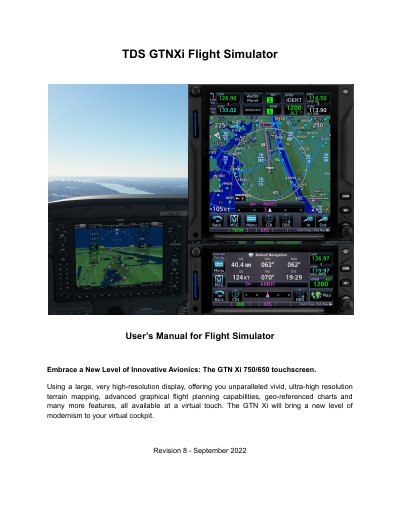
The TDS GTNXi is a standalone Windows executable designed to enhance the Microsoft Flight Simulator 2020 experience with high-resolution terrain mapping, advanced flight planning, and realistic avionics settings. It includes two units, the GTNXi 750 and GTNXi 650, which can be displayed simultaneously or switched between for different flight plans. The software integrates with the Flight Simulator autopilot to support fully coupled LPV approaches and allows users to control COM and NAV radio frequencies.
| Compatible Aircraft | Add-on aircraft with Virtual Cockpit support |
|---|---|
| Navigation Database | Cycle 2104 |
| Operating System | Microsoft Windows 10 64 Bit Version 1909 |
| Processor | Intel Core i5-8400 or AMD Ryzen 5 1500X |
| Memory | 16GB RAM |
| Graphics | NVIDIA GTX 970 or AMD Radeon RX 590 with at least 4GB Memory |
| HDD Space | 4GB |
Yes, the TDS GTNXi can be dragged onto a second monitor while running Flight Simulator on one monitor.
Yes, the GTNXi 750 has an integrated Audio Panel to control audio navigation sources.
The default installation directory is C:\ProgramData\TDS\GTNXi\FlightSimEXE.
No, the TDS GTNXi does not currently support the display of flight simulator weather.