
Plantronics 6079 Skype for Business Quick Setup Guide

Quick Setup Guide, contains steps of using the headset

Plantronics 6079 Skype for Business Quick Setup Guide - cover page
Brand
Plantronics
Category
Other Computer Accessories
Document type
Quick Start Guide
Language
English
Pages
2
File format
PDF
File size
181 KB
Published
16 October, 2023
Updated
16 October, 2023
MD5 checksum
10AFE9EE507323F623EE12EA74009D98

About this manual

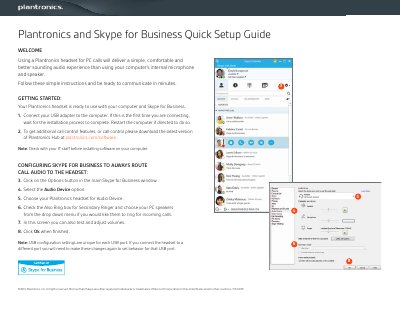
This guide explains how to set up a Plantronics headset for PC calls to improve audio quality over internal computer speakers. It details the initial connection steps, including connecting the USB adapter and installing the Plantronics Hub software for additional call control features.

What's inside

  • Getting Started
  • Connecting USB Adapter
  • Downloading Plantronics Hub
  • Configuring Skype for Business
  • Making Calls
  • Receiving Calls

Frequently asked questions

What is required before installing software on your computer?

You must check with your IT staff before installing the Plantronics Hub software.

How do you adjust volumes for the headset?

You can test and adjust volumes in the Skype for Business configuration screen after selecting the audio device.

Download PDF (181 KB)

More Plantronics Manuals


View all Plantronics manuals →