
This document is the operating manual of Red Lion industrial controller, which mainly introduces the installation, connection and use methods of industrial controller.
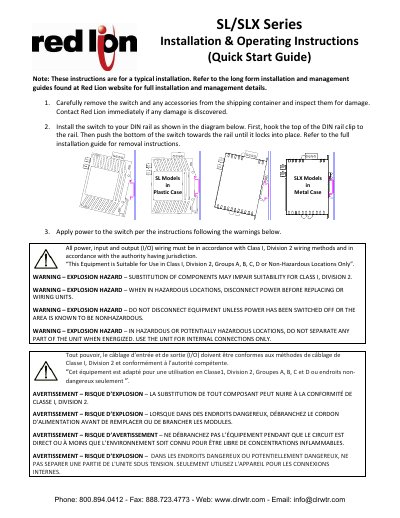
This document provides quick start instructions for the installation and operation of Red Lion SL and SLX Series industrial Ethernet switches. It covers physical installation on a DIN rail, safety warnings regarding hazardous locations (Class I, Division 2), and power connection procedures. The guide distinguishes between SL models in plastic cases and SLX models in metal cases.
| Hazardous Location Rating | Class I, Division 2, Groups A, B, C, D |
|---|---|
| Maximum Screw Torque | 5 in/lb (0.57 Nm) |
| Default IP Address | 10.2.0.1 or 192.168.0.1 |
The default IP address is 10.2.0.1 or 192.168.0.1, depending on the shipping date.
Connect the switch to a PC, set the PC's IP to 10.2.0.100 or 192.168.0.100, and type the switch IP into a browser using 'admin' as the username and password.
Yes, SL models come in a plastic case and SLX models come in a metal case.