
This manual introduces the installation method of SAILOR SC4000 IRIDIUM equipment.
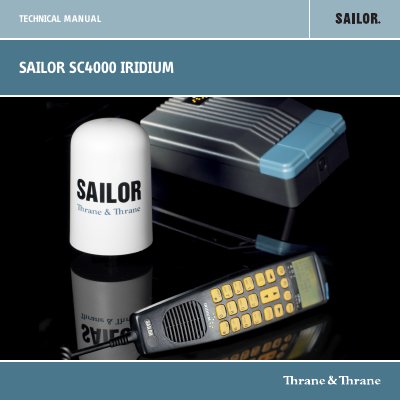
This manual provides installation instructions for the SAILOR SC4000 Iridium equipment, a modular satellite communication system. The system consists of a transceiver unit, control handset unit, antenna unit, and an optional analogue PSTN telephone or PABX. It supports voice calls, intercom functionality, and data services such as dial-up, Internet access, SMS, and E-mail messaging via a data port.
| Frequency Range | 1616 MHz to 1626.5 MHz (L-Band) |
|---|---|
| Voice/Data Rate | 2.4 kbit/s QPSK |
| Operating Temperature | -10° C to +55° C |
| Storage Temperature | -30° C to +70° C |
| Power Supply DC | 10 -32V DC |
| Consumption (Communication) | 25 W |
| Antenna Type | Helical, omni-directional |
| Handset Interface | 600 2 / 4 wire RS485 |
This manual covers the Transceiver Unit versions Mk2, Mk3 and Mk4.
You can connect up to four handsets and one analogue PSTN telephone or PBX switchboard to the system.
The maximum cable loss for the handset connection is 3dB.