
This document is the Breezeline Internet Service User Guide, which introduces how to connect a router and configure a router.
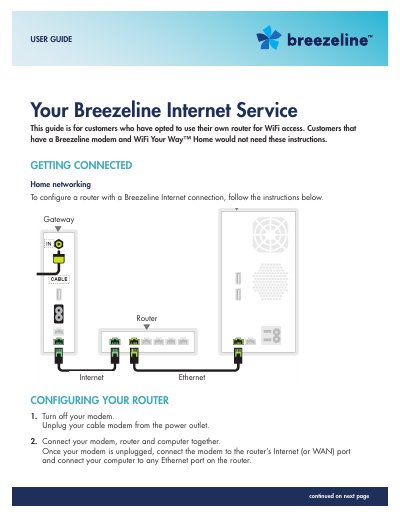
This user guide provides instructions for customers who have opted to use their own router for Breezeline Internet access. It details the steps to configure the router for a broadband connection, including power cycling the modem and router to establish a link with the Breezeline network. The guide also covers setting up the connection for both Internet and TV services.
No, customers that have a Breezeline modem and WiFi Your Way™ Home would not need these instructions.
Connect the modem to the router's Internet (or WAN) port and connect your computer to any Ethernet port on the router.