
The iComfort Wi-Fi® touch-screen thermostat is designed by Lennox Industries Inc., it allows you to adjust your home's comfort settings from anywhere with an internet connection.
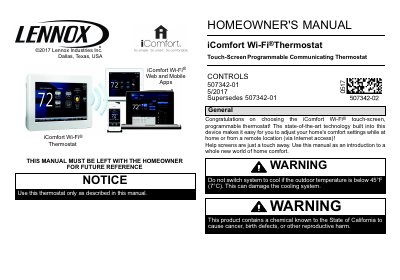
This manual provides instructions for the Lennox iComfort Wi-Fi touch-screen programmable communicating thermostat. It details how to use the device to control heating, cooling, humidification, and dehumidification, as well as how to access remote features via the internet. The device includes Precise Comfort technology for precise temperature control and supports various system modes and schedules.
| Display Type | Touch-screen with color display |
|---|---|
| Programming | 7-day programmable |
| Temperature Control Precision | 1/2 degree |
| Airflow Adjustment | increments as small as 1% |
| Memory | Nonvolatile |
Touch and hold the lock icon for 5 to 6 seconds to unlock the thermostat.
A Wi-Fi icon with an exclamation mark appears, and it disappears once the connection is re-established.
Yes, the language can be changed to English, French, or Spanish in the display settings.