
Targus Universal USB 3.0 DVHD-SV2K Docking Station with Power Quick Start Guide

This is a Targus Universal USB 3.0 DVHD-SV2K Docking Station with Power quick start guide, introduces the connection, installation and use of the device.
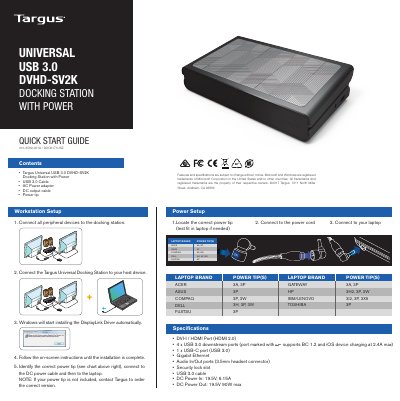

Targus Universal USB 3.0 DVHD-SV2K Docking Station with Power Quick Start Guide - cover page
Brand
Targus
Category
Other Computer Accessories
Document type
Quick Start Guide
Language
English
Pages
2
File format
PDF
File size
569 KB
Published
13 October, 2023
Updated
13 October, 2023
MD5 checksum
03A65F83CDE85D98511EFBCF1C7463DA

About this manual

This document provides a quick start guide for setting up the Targus Universal USB 3.0 DVHD-SV2K Docking Station with Power (model 410-3569-001A). It details how to connect peripheral devices, link the station to a host device, and install necessary DisplayLink drivers automatically via Windows.

What's inside

  • Workstation Setup
  • Power Setup
  • Windows Setup
  • OS-X Setup
  • Android Setup
  • Warranty Information
  • System Requirements

Frequently asked questions

What is the maximum resolution supported for HDMI and DVI-I displays?

The docking station supports resolutions up to 2560 x 1440 for HDMI and 2048 x 1152 for DVI-I.

What is the maximum power output rating for the DC port?

The DC Power Out provides a maximum of 90W at 19.5V.

How long is the warranty period for this product?

Targus warrants the product against defects in materials and workmanship for three years.

Download PDF (569 KB)

More Targus Manuals


View all Targus manuals →