
GIGABYTE GA-C621-WD12 Motherboard Quick Installation Guide

GA-C621-WD12(-IPMI) Quick Installation Guide, introduces the definition and function of product jumpers, connectors, and LEDs
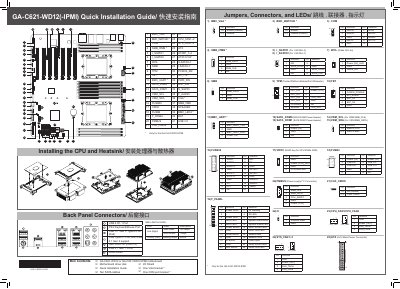

GIGABYTE GA-C621-WD12 Motherboard Quick Installation Guide - cover page
Brand
Gigabyte
Category
Motherboard
Document type
User Manual
Language
English
Pages
2
File format
PDF
File size
4.9 MB
Published
12 October, 2023
Updated
12 October, 2023
MD5 checksum
21C507D3129F570CC392B3237E6A708C

About this manual

This document is a Quick Installation Guide for the GIGABYTE GA-C621-WD12 motherboard. It provides detailed pin definitions for various jumpers, connectors, and LEDs located on the motherboard. The guide includes specific configurations for features such as Wake On LAN, Trusted Platform Module, and RAID keys.

What's inside

  • Jumpers
  • Connectors
  • LEDs
  • Pin Definitions
  • Box Contents
  • Installing the CPU
  • Back Panel Connectors

Frequently asked questions

What is the purpose of the CLR_CMOS jumper?

Setting the CLR_CMOS jumper to pins 2-3 disables the feature, while setting it to pins 1-2 enables it.

What voltage is provided to the ATX main power connector?

The ATX connector provides 2x12 main power connections.

What is the default setting for the SATA_DATA jumper?

The default setting for the SATA_DATA jumper is pins 2-3, which disables the function.

Download PDF (4.9 MB)

More Gigabyte Manuals


View all Gigabyte manuals →