
GA-IMB310TN-M User Manual, introduces the features and characteristics of the product, including how to install the CPU, memory, expansion card, etc.
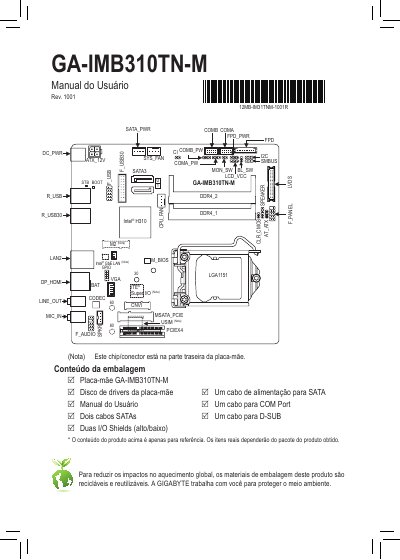
This document serves as the user manual for the GIGABYTE GA-IMB310TN-M motherboard. It provides essential guidance on installing the CPU, memory modules, and expansion cards, along with driver installation procedures using the Xpress Install utility.
The manual also includes regulatory declarations regarding environmental compliance (RoHS and WEEE) and safety standards for the European Union and United States. This manual is written in Portuguese.
Ensure the motherboard supports the CPU, disconnect power to avoid hardware damage, locate pin 1 or alignment notches correctly, apply thermal paste, and install the cooler before powering on.
You must turn off the computer and unplug the power cord from the wall to avoid hardware damage.
The CPU may overheat and suffer damage if the computer is turned on without the cooler installed.
Memory modules can only be inserted in one direction because they have a fail-safe design.