
Talkaphone ETP-500 Series Analog Call Station Installation & Operation Manual

ETP-500 Series Analog Call Stations Installation & Operation Manual
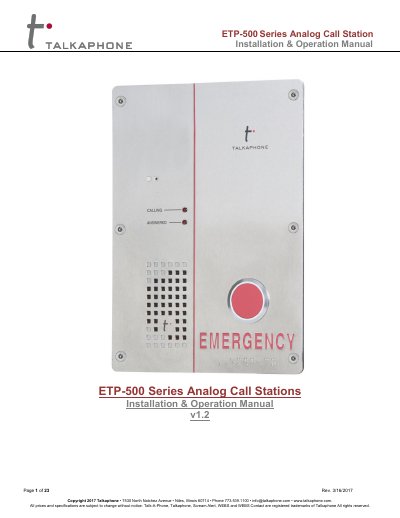

Talkaphone ETP-500 Series Analog Call Station Installation & Operation Manual - cover page
Brand
Talk-a-Phone
Category
Other Electronics
Document type
User Manual
Language
English
Pages
23
File format
PDF
File size
724 KB
Published
12 October, 2023
Updated
12 October, 2023
MD5 checksum
0A574A6953BD54C276782098C26DAB10

About this manual

This manual provides instructions for installing and operating the Talkaphone ETP-500 Series Analog Call Station. It details hardware installation steps, including connecting the RJ11 cable to the phone line and grounding the unit, as well as securing the device using the included TS-20 Pin-in-Torx screws. The guide also covers the use of mounting accessories like the MS-600 Mounting Sleeve.

What's inside

  • Introduction
  • What Is in the Box
  • Technical Requirements
  • Hardware Installation
  • Software Programming
  • Quick Programming Guide
  • Detailed Programming Information
  • Operation Codes
  • Auxiliary Circuits
  • Intelli-Voice

Specifications

Auxiliary Output RatingMaximum of 50 mA at 30V DC or AC
Mounting Screw TypeSix 10-24 Stainless Steel TS-20 Pin-in-Torx screws

Frequently asked questions

What is the default Guard Access Code?

The default Guard Access Code is *4*.

How do I program the primary phone number?

Enter the code *13* followed by the phone number and then *.

What is the code to record an Intelli-Voice message?

Enter *58* to record a 10-second message.

Download PDF (724 KB)