
The AR7000 ROUTER is a multi-functional wireless router that supports various network types such as GPRS, CDMA, WCDMA, EVDO, global network, FDD-LTE, and TDD-LTE. It also supports GPS positioning. This router is suitable for both commercial and standard models, with options for single card and dual card.
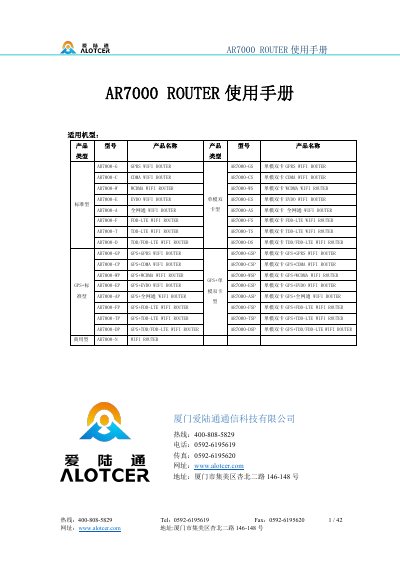
This manual provides comprehensive instructions for the AloTcer AR7000 series of industrial routers, which support 2G, 3G, and 4G networks along with WiFi capabilities. The device is designed for M2M applications in industries such as power, transportation, and smart buildings, featuring an industrial-grade 32-bit processor and metal casing. This manual is written in Chinese.
| CPU | Industrial grade 32-bit communication processor |
|---|---|
| Flash Memory | 16MB (expandable to 64MB) |
| SDRAM | 128MB |
| WAN Interface | 1 x 10/100M Ethernet port |
| LAN Interfaces | 4 x 10/100M Ethernet ports |
| Serial Port | 1 x RS232 (or RS485) |
| WiFi Standard | IEEE 802.11b/g/n |
| Power Supply | DC 5~35V |
| Operating Temperature | -35~+75ºC |
Press and hold the Reset button for 8 seconds to restore configuration parameters to factory default values.
The router supports 2G (GPRS/CDMA), 3G (WCDMA/HSPA+/CDMA20001xEVDO), and 4G (TDD-LTE/FDD-LTE) networks.
Yes, VPN versions support PPTP, L2TP, IPSEC, and GRE protocols.