
This document is about the Apollo 430 M I D - T O W E R T E M P E R E D G L A S S G A M I N G C A S E. The features of this product include an iron front panel, LED lens lamp, tempered glass panel, HDD brackets, and support for ARGB lighting control.
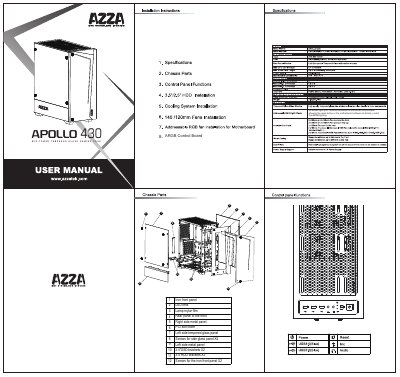
This manual provides information regarding the components included with the APOLLO 430 mid-tower tempered glass gaming case. It details the various panels, such as the iron front panel, left and right side metal panels, and tempered glass side panels, along with included screws and drive brackets.
| Case Type | Mid-Tower |
|---|---|
| Side Panel Material | Tempered Glass |
| Included SSD Brackets | 2.5" SSD brackets X2 |
| Included HDD Brackets | 3.5" HDD brackets X2 |
Disassemble the front panel A to install 120mm fans.
Disassemble the front panel A and the screws of front panel B, then push up the front panel B to disassemble completely to install 140mm fans.
Hold the Reset button for 3 seconds to switch the RGB control function between motherboard RGB software and Reset button.