
The BC-02 smart bracelet is an intelligent bracelet with sports measurement and heart rate measurement functions. The bracelet connects to a smartphone via Bluetooth and can display information such as time, date, battery level, and heart rate value. The bracelet can enable sports mode and heart rate measurement, but it is recommended to turn them off to save power. The bracelet is suitable for daily use, waterproof, but not recommended to be worn during bathing and swimming. The bracelet needs to be charged regularly and can automatically calibrate the time at school. Do not lend it to others to wear.
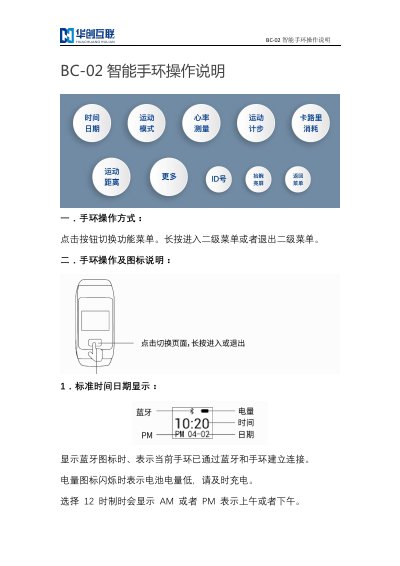
The BC-02 smart bracelet is operated by clicking a button to switch function menus. Long pressing the button enters or exits secondary menus. The device displays standard time and date, showing a Bluetooth icon when connected and an flashing battery icon when power is low.
Key features include motion measurement and heart rate monitoring, which can be activated via long press in their respective menu sections. Users are advised to turn off these modes when not in use to save battery life. The bracelet also includes a久坐 (sitting too long) reminder with vibration alerts that can be stopped by touching the button. This manual is written in Chinese.
Press and hold the button in the motion mode menu to turn on the mode.
The charging time is between 30 and 90 minutes.
Use a 5V charging plug or a computer USB interface.