
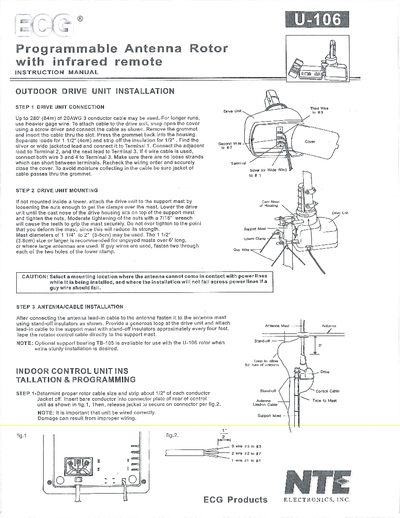
This manual provides step‑by‑step instructions for installing the U‑106 programmable antenna rotor. It covers drive‑unit connection, mounting the unit on a mast, routing the antenna lead‑in cable, and wiring the indoor control unit. Recommended mast sizes, cable gauge limits, and optional support bearing TB‑105 are also described.
Operating instructions include powering the unit, initializing the rotor, using the remote or keypad to store up to 12 station positions, manual positioning, clearing memory, and basic service information such as safety cautions and part replacement guidelines.
| Maximum cable length | 280 ft (84 m) of 20 AWG 3‑conductor cable |
|---|---|
| Supported mast diameters | 1.25" to 2" (3‑5 cm) |
| Recommended mast size | ≥1.5" (3.8 cm) |
| Remote control batteries | 2 × 1.5 V batteries |
| Memory locations | 12 positions |
Press the "INITIAL" key; the rotator will automatically return to the home position.
Up to 12 station positions can be stored using the memory keys.
Turn off power, press the "D" key while turning the power back on; the memory will be cleared when the LED lights.
Yes, the optional support bearing TB‑105 can be used with the U‑106 rotor for extra sturdy installation.