
Key facts
- Manuals
- 1
- Languages
- EN
- Last added
- 2022-11-05
Featured NTE Electronics manuals
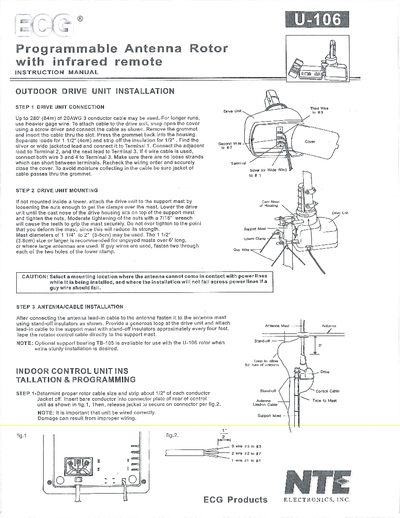
NTE Electronics U-106 Programmable Antenna Rotor Installation Manual
This manual provides step‑by‑step instructions for installing the U‑106 programmable antenna rotor. It covers drive‑unit connection, mounting the unit on a mast, routing the antenna lead‑in cable, and wiring the indoor control unit. Recommended mast sizes, cable gauge limits, and optional support bearing TB‑105 are also described.
Operating instructions include powering the unit, initializing the rotor, using the remote or keypad to store up to 12 station positions, manual positioning, clearing memory, and basic service information such as safety cautions and part replacement guidelines.
Covers: Drive Unit Connection · Drive Unit Mounting · Antenna/Cable Installation · Indoor Control Unit Installation & Programming · Power On and Initialization · Memory Storage and Retrieval
Latest NTE Electronics manuals
NTE Electronics U-106 Programmable Antenna Rotor Installation Manual
User Manual 2 pages · 2.8 MB · ENInstallation and operation guide for the NTE Electronics U-106 programmable antenna rotor.
Which document do I need?
User Manual
Day-to-day operation, settings and troubleshooting. Start here if the product is already set up.
Questions answered in NTE Electronics manuals
How do I reset the rotor to its home position?
Press the "INITIAL" key; the rotator will automatically return to the home position.
From: NTE Electronics U-106 Programmable Antenna Rotor Installation Manual
How many station positions can be stored?
Up to 12 station positions can be stored using the memory keys.
From: NTE Electronics U-106 Programmable Antenna Rotor Installation Manual