
This document is a quick setup guide for UM351W/UM301W/UM361X/UM301X projectors. It provides basic instructions for setting up the projector, including connecting the power cord, connecting a computer, and removing the cable cover. The products are designed to be easy to install and use.
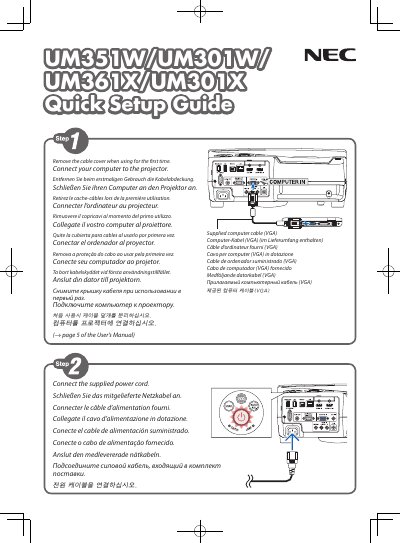
This document provides a quick setup guide for the NEC Display Solutions UM351W, UM301W, UM361X, and UM301X projectors. It includes instructions on connecting the supplied power cord and computer cable (VGA), as well as removing the cable cover for initial use.
| Computer Cable Type | VGA |
|---|
Press the AUTO ADJ. button to optimize a computer image automatically.
Press the POWER button on the projector cabinet or the POWER STANDBY button on the remote control, then press ENTER or the power button again.