
Key facts
- Manuals
- 2
- Languages
- ZH · EN
- Last added
- 2023-10-20
Featured NEC Display Solutions manuals
NEC Display Solutions Editing Software 2.1 User Manual
This manual provides detailed instructions for system administrators on the functions and operations of the Editing Software 2.1. It covers system configuration, terminology, installation procedures, and the use of the central system for managing content and schedules.
The document explains how to create programs and schedules, register content, manage panels, and configure the environment. It also details the software's features, such as supporting various video and image formats, creating diverse layouts, and managing playback via a central system connected to media players. This manual is written in Chinese.
Covers: Editing Software Overview · System Configuration · Executing Editing Software · Central System Functions · Program Registration · Schedule Management
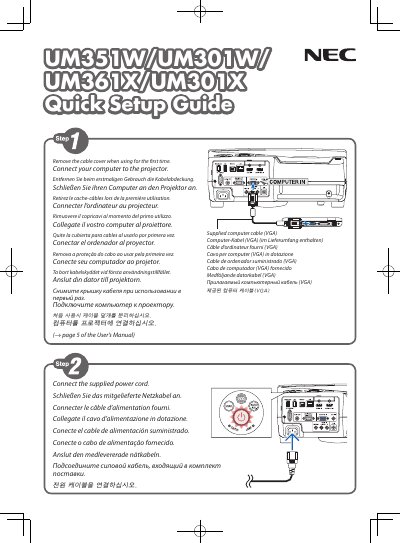
NEC Display Solutions UM351W/UM301W/UM361X/UM301X Quick Setup Guide
This document provides a quick setup guide for the NEC Display Solutions UM351W, UM301W, UM361X, and UM301X projectors. It includes instructions on connecting the supplied power cord and computer cable (VGA), as well as removing the cable cover for initial use.
Covers: Connect the supplied power cord · Remove the cable cover · Connect your computer to the projector · Select a source · Turn on the projector · Optimize image automatically
Latest NEC Display Solutions manuals
NEC Display Solutions Editing Software 2.1 User Manual
User Manual 76 pages · 1.5 MB · ZHThis manual describes the functions and operations of the Editing Software 2.1 for system administrators, covering system configuration, scheduling, and…
NEC Display Solutions UM351W/UM301W/UM361X/UM301X Quick Setup Guide
Quick Start Guide 6 pages · 1.7 MB · ENA quick setup guide for NEC Display Solutions projectors covering power connection, computer setup, image adjustment, and shutdown procedures.
Which document do I need?
User Manual
Day-to-day operation, settings and troubleshooting. Start here if the product is already set up.
Quick Start Guide
The shortest path to a working setup, usually only a few pages.
Questions answered in NEC Display Solutions manuals
What types of video and image files does the editing software support?
The software supports MPEG1, MPEG2, and Windows Media Video9 for movies, as well as jpg, bmp, and png for still images.
From: NEC Display Solutions Editing Software 2.1 User Manual
What are the minimum CPU and memory requirements for the central system?
The central system requires a CPU of Intel Pentium III 1.0GHz or faster and 256MB or more of memory.
From: NEC Display Solutions Editing Software 2.1 User Manual
How do I optimize the image automatically?
Press the AUTO ADJ. button to optimize a computer image automatically.
From: NEC Display Solutions UM351W/UM301W/UM361X/UM301X Quick Setup Guide
What are the steps to turn off the projector?
Press the POWER button on the projector cabinet or the POWER STANDBY button on the remote control, then press ENTER or the power button again.
From: NEC Display Solutions UM351W/UM301W/UM361X/UM301X Quick Setup Guide