
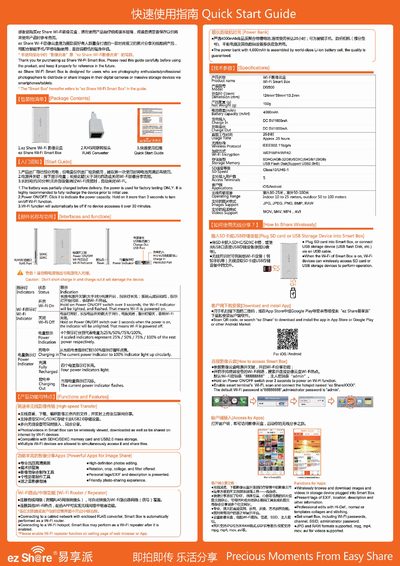
The ez Share Wi‑Fi Smart Box is a portable device that lets photographers share images from cameras or storage devices to smartphones and tablets via Wi‑Fi. It supports SDHC/SDXC cards and USB‑mass‑storage, and can act as a Wi‑Fi router or repeater.
The guide explains how to power the device, use the USB and micro‑USB ports, configure Wi‑Fi settings, recharge external devices, and install the companion app. Safety and handling instructions are also provided.
| Dimensions | 124 mm × 59 mm × 13.2 mm |
|---|---|
| Weight | 150 g |
| Battery capacity | 4000 mAh |
| Input / Output voltage | DC 5 V / 1000 mA |
| Wi‑Fi protocol | IEEE 802.11b/g/n |
| Supported memory cards | SDHC (4 GB‑32 GB) / SDXC (64 GB‑128 GB) |
| Operating range | Indoor 10‑25 m, Outdoor 50‑100 m |
SDHC and SDXC are supported, with capacities from 4 GB up to 128 GB at Class 10 and UHS‑1 speed.
The standard USB port is used mainly for recharging other devices and reading external USB flash disks, while the micro‑USB port is for recharging the Smart Box itself and allowing a computer to access the SD card.
When the repeater function is enabled, the Smart Box can connect to another hotspot and provide Wi‑Fi access for nearby devices, allowing simultaneous internet surfing and Smart Box operation.
The default SSID is "ez ShareXXXx", the default Wi‑Fi password is "88888888", and the administrator password is "admin".