
Audio Key Utility 3 is a software that allows you to assign audio files to the keys of the keyboard, so that you can play these files at the desired moment during your performance, or perform along with an audio accompaniment. This software makes it easy to perform operations and make settings related to the Audio Key function.
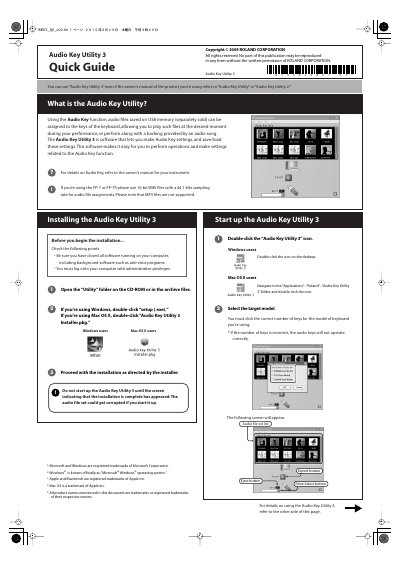
This is the printed quick guide for Roland's Audio Key Utility 3, software used to make Audio Key settings for a compatible Roland keyboard and to save and load those settings. Using the Audio Key function, audio files stored on separately sold USB memory can be assigned to keys of the keyboard so they can be played at a chosen moment during a performance or used as backing.
The guide walks through installing the software on Windows or Mac OS X, selecting the target model by clicking the correct number of keys (61/76/88 or 49 keys), and transferring an audio file set from the computer to USB memory with the Drive Select and Export buttons, including the correct way to eject the memory. It closes with descriptions of the audio file sets installed with the utility, such as Blues Loops, Jazz Loops, Major Loops, Minor Loops and 9th Loops, and notes on the sample icon images provided on the CD-ROM or in the archive files.
| Audio file format for FP-7 / FP-7F | 16-bit WAV files with a 44.1 kHz sampling rate; MP3 not supported |
|---|---|
| Computer platforms | Windows and Mac OS X |
| USB memory | USB memory sold by Roland Corporation |
Use 16-bit WAV files with a 44.1 kHz sampling rate for audio file assignments. MP3 files are not supported.
Use USB memory sold by Roland Corporation. Audio key operation cannot be assured if any other type of USB memory is used.
Click the Drive Select button to select the USB memory drive, click the Eject button, and disconnect the memory when the confirmation message appears.
Open the Utility folder on the CD-ROM or in the archive files, then double-click setup (.exe) on Windows or Audio Key Utility 3 Installer.pkg on Mac OS X, and proceed as directed by the installer.