
Lab.gruppen PLM Series Network Configuration Guide

This manual introduces the network configuration methods of the PLM series products, including Dante network functions, single point failure avoidance, network connections and topologies, and network hardware recommendations.
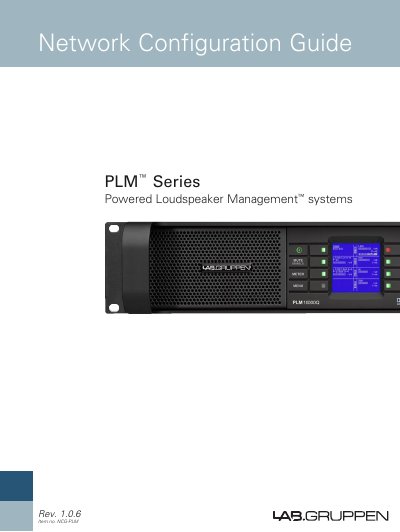

Lab.gruppen PLM Series Network Configuration Guide - cover page
Brand
Lab.gruppen
Document type
User Manual
Language
English
Pages
17
File format
PDF
File size
1.1 MB
Published
06 August, 2012
Updated
01 October, 2023
MD5 checksum
A34888475C891F0D1716E63A39F446D5

About this manual

The Lab.gruppen PLM Series is a powered loudspeaker management system designed for Ethernet networks. It utilizes Dante digital audio protocol to transmit multichannel audio (up to 24-bit, 96 kHz) and control data over a single Cat-5e cable, reducing the need for multiple connections.

What's inside

  • Ethernet Fundamentals
  • PC Configuration
  • Networking Overview
  • Dante Audio Network
  • Rear Panel Connections
  • Avoiding Single Point of Failure (SPF)
  • Automatic Priority Input Switching
  • Network Cabling and Topologies

Specifications

Audio Resolutionup to 24-bit, 96 kHz
Ethernet Ports Speed10/100BASE-T
Connector TypeNeutrik EtherCon RJ45

Frequently asked questions

What cabling is recommended for Dante network connectivity?

Cat-5e Ethernet cabling is strongly recommended due to its increased bandwidth capacity.

What is the maximum audio resolution supported by the Dante protocol on this system?

The system permits the distribution of multichannel digital audio with a resolution of up to 24-bit, 96 kHz.

What Ethernet speeds are supported by the ports on the rear panel?

Both Ethernet ports operate at either 10 MHz (10BASE-T) or 100 MHz (100BASE-T).

What type of connectors are used for the Ethernet ports on the rear panel?

The ports use Neutrik EtherCon RJ45 connectors.

Download PDF (1.1 MB)

More Lab.gruppen Manuals


View all Lab.gruppen manuals →