
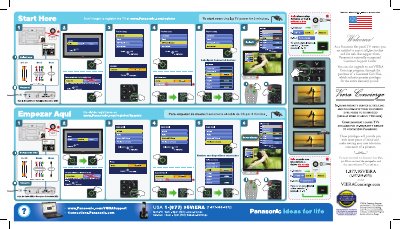
Panasonic TQD2A19017 Flat Panel TV First Time Setup Guide


Panasonic TQD2A19017 Flat Panel TV First Time Setup Guide - cover page
Brand
Panasonic
Category
Monitor
Document type
User Manual
Language
English
Pages
1
File format
PDF
File size
8.1 MB
Published
03 August, 2012
Updated
03 August, 2012
MD5 checksum
A8A8E14318848DCBD5E1F53375302E96

About this manual

This document provides initial setup instructions for the Panasonic TQD2A19017 flat panel television. It guides users through selecting the viewing environment (Home Use), setting the language and clock, and configuring the ANT/Cable source.

The guide also covers customizing input labels to match connected devices such as Component, HDMI, and Video inputs. Finally, it explains how to run an auto program scan for digital channels using either an antenna or cable connection.

What's inside

  • First time setup
  • Language selection
  • Clock settings
  • ANT/Cable setup
  • Input labels
  • Auto program

Frequently asked questions

How do I start over the initial setup?

To restart the setup process, unplug the TV power for 3 minutes.

What should I select if using this TV at home?

You must select 'Home Use' when setting up the viewing environment.

Download PDF (8.1 MB)

More Panasonic Manuals


View all Panasonic manuals →