
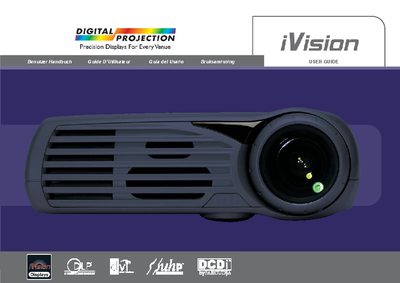
iVision e- iP AV AT Digital Projector User Guide


iVision e- iP AV AT Digital Projector User Guide - cover page
Brand
iVision
Category
Projector
Document type
User Manual
Language
English
Pages
36
File format
PDF
File size
819 KB
Published
12 July, 2012
Updated
29 September, 2023
MD5 checksum
DBB3DBE760B85A2AA84E9AA2A6CFB650

About this manual

This user guide provides instructions for the iVision e- iP AV AT digital projector, a high-resolution multimedia presentation device compatible with analog and digital data and video sources. The manual covers safety precautions, setup procedures, and usage instructions.

What's inside

  • Introduction
  • Safety & Warnings
  • Before Set up and Use
  • Supplied material
  • Overview
  • Keypad
  • Remote control
  • Connector panel
  • Set up computer
  • Set up video

Specifications

TechnologySingle Chip DLP™ technology
ResolutionHigh resolution
BrightnessHigh brightness
ContrastHigh contrast
Noise levelLow noise
WeightLow weight

Frequently asked questions

Can the projector be mounted on the ceiling?

Yes, the projector is desktop and ceiling-mountable.

What technology does the projector use?

It uses Single Chip DLP™ technology.

Can I look into the projection lens when the projector is on?

No, do not look into the projection lens when the projector is switched on as the strong light may permanently damage sight.

Download PDF (819 KB)

More iVision Manuals


View all iVision manuals →