
Klegg TV Owner's Manual


Klegg TV Owner's Manual - cover page
Brand
Klegg
Category
Television
Document type
User Manual
Language
English
Pages
50
File format
PDF
File size
6.8 MB
Published
11 July, 2012
Updated
11 July, 2012
MD5 checksum
9C1D75115EF1867CA2FB758EADA86614

About this manual

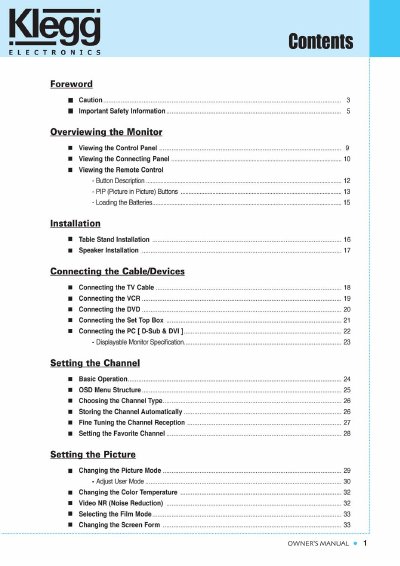
The document serves as the official owner's manual for Klegg televisions. It begins with a table of contents and essential forewords regarding electronic safety warnings and FCC compliance notices.

The guide covers comprehensive setup procedures including table stand installation, speaker mounting, and connecting various external devices such as VCRs, DVD players, set-top boxes, and PCs via D-Sub or DVI interfaces. It also details how to configure channels, adjust picture and sound settings, utilize Picture-in-Picture (PIP) features, and manage parental controls through the V-chip.

What's inside

  • Foreword
  • Important Safety Information
  • Overviewing the Monitor
  • Installation
  • Connecting the Cable/Devices
  • Setting the Channel
  • Setting the Picture
  • Setting the Sound
  • Setting the Others
  • Warranty Card

Frequently asked questions

What is the power supply voltage rating for this product?

The power supply voltage rating of this product is AC100-240V.

What is the power supply voltage rating for this monitor?

The power supply voltage rating is AC100-240V.

What type of outlet must be used to connect the monitor?

You must use only a grounded or polarized outlet.

Download PDF (6.8 MB)

More Klegg Manuals


View all Klegg manuals →