
SONY KDL-46BX421 46BX420 40BX421 40BX420 32BX421 32BX420 32BX321 32BX320 KDL-22BX321 22BX320 LCD Digital Color TV Manual

This is a user manual for BRAVIA LCD digital color TV. It introduces how to use the TV and how to solve common problems.
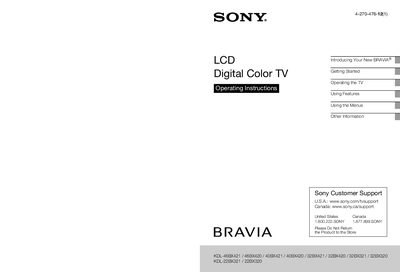

SONY KDL-46BX421 46BX420 40BX421 40BX420 32BX421 32BX420 32BX321 32BX320 KDL-22BX321 22BX320 LCD Digital Color TV Manual - cover page
Brand
SONY
Category
Television
Document type
User Manual
Language
English
Pages
64
File format
PDF
File size
3.1 MB
Published
10 July, 2012
Updated
30 September, 2023
MD5 checksum
F4B53095D7DB013028B4BF08C2FA9112

About this manual

This manual provides comprehensive guidance for new owners of Sony BRAVIA LCD Digital Color TVs. It covers initial setup steps such as attaching the table-top stand or wall-mounting, connecting various inputs like HDMI and USB, and running the initial configuration wizard.

The document details how to operate the TV using the remote control and built-in buttons, navigate through menus for picture, sound, and channel settings, and utilize specific features like BRAVIA Sync, Picture in Picture (PIP), and Favorites.

What's inside

  • Introducing Your New BRAVIA
  • Getting Started
  • Locating Inputs and Outputs
  • Connecting the TV
  • Operating the TV
  • Using Features
  • Using the Menus
  • Other Information
  • Troubleshooting

Specifications

Viewable Image Size (32 class)31.5 inch
Voltage Input110-240 V AC

Frequently asked questions

Where are the model and serial numbers located?

The model and serial numbers are located at the side and rear of the TV.

What voltage range should be used to operate the TV?

The TV must only be operated on 110-240 V AC.

How many people are needed to carry a larger size TV?

Larger size TVs require two or more people to be carried safely.

Download PDF (3.1 MB)

More SONY Manuals


View all SONY manuals →