
Sekonic L-308S Flashmate Quick Guide

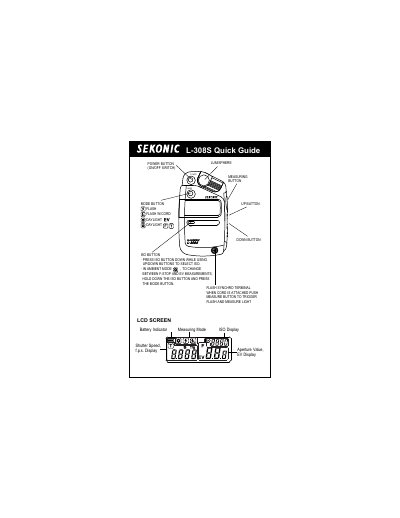
L-308S Quick Guide, includes the selection of metering modes and the operation methods in metering modes

Sekonic L-308S Flashmate Quick Guide - cover page
Brand
Sekonic
Category
Other Electronics
Document type
Quick Start Guide
Language
Chinese
Pages
2
File format
PDF
File size
158 KB
Published
09 July, 2012
Updated
01 October, 2023
Model
L-308S
MD5 checksum
B435537C146D6373ABBF556A3258801D

About this manual

The Sekonic L-308S Flashmate is a light meter designed for measuring light in various modes, including ambient, flash, and cordless flash. The device features an LCD screen that displays shutter speed, aperture value, ISO, and measuring mode, along with indicators for battery status and measurement type. This manual is written in Chinese.

What's inside

  • Measuring Button
  • ISO Button
  • Mode Button
  • Power Button
  • LCD Screen
  • Basic Operation
  • ISO Setting
  • Measurement Modes
  • EV Reading
  • Increment Setting

Frequently asked questions

How do I select the ISO setting on the L-308S?

To select the ISO, press the ISO button down while using the Up/Down buttons.

How do I change between F-Stop and EV measurements in Ambient Mode?

Hold down the ISO button and press the Mode button to change between F-Stop and EV measurements.

What steps are required to set the reading increments?

Turn the power off, press the Mode button while turning on the meter, select Full, 1/2 or 1/3 f-stop, then turn the power off and back on.

Download PDF (158 KB)

More Sekonic Manuals


View all Sekonic manuals →