
SVM-1000 is a professional audio and video mixer developed by Pioneer DJ. It supports the synchronization of four audio and video signals.
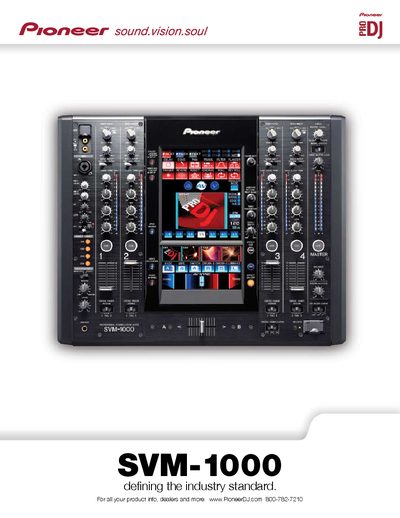
The Pioneer SVM-1000 is a professional video mixer designed to synchronize audio and video with up to four sources simultaneously. It features Multiple Video Blending Technology, allowing independent fading and equalization for each channel, as well as sound-only or visual-only control modes suitable for various DJ and VJ styles.
The device includes an Audio Video Effect function utilizing a built-in 11-inch touch-panel LCD display with over 80 built-in effects. Users can create synchronized visual treatments using AV Beat Effects that detect music tempo, AV Touch Effects via the screen, and custom Text Effects. Additionally, it supports JPEG Viewer functionality for incorporating external images into performances.
| Sampling Rate | 96 kHz |
|---|---|
| A/D, D/A Converter | 24-bit |
| Frequency Response | 20 Hz - 20 kHz |
| Total Harmonic Distortion | 0.005% or less |
| Signal-to-Noise Ratio | 106 dB (LINE) |
| Head Room | 19dB |
| Power Requirements | AC 120 V (60 Hz) |
| Dimensions | 19.7" (W) x 16.2" (D) x 7.9" (H) |
| Weight | 28.2 lbs |
The mixer can synchronize audio and video with up to four sources at the same time.
The mixer employs 96 kHz/24-bit digital sampling for high-quality audio.
Yes, it allows users to incorporate images and photos from an external memory device via SD slot and USB.