
Sonos ZonePlayer Quick Setup Instructions


Sonos ZonePlayer Quick Setup Instructions - cover page
Brand
Sonos
Category
Other Electronics
Document type
User Manual
Language
English
Pages
1
File format
PDF
File size
1.1 MB
Published
06 July, 2012
Updated
06 July, 2012
MD5 checksum
44AF93F557A1E51F7E4C4E50D7286BB0

About this manual

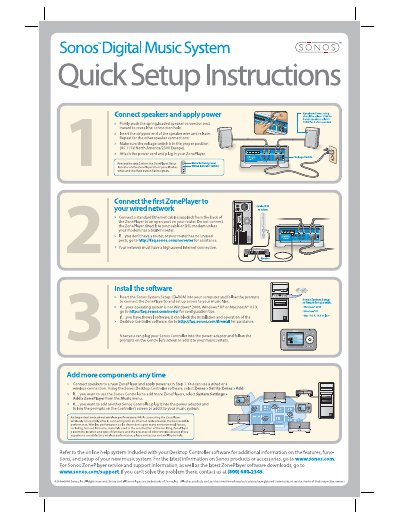
This document provides quick setup instructions for the Sonos Digital Music System, specifically the ZonePlayer. It covers connecting speakers and applying power, ensuring the correct voltage setting, and attaching the power cord. The guide also details how to connect the first ZonePlayer to a wired network using an Ethernet cable and avoiding direct connections to modems without built-in routers.

What's inside

  • Connect speakers and apply power
  • Connect the first ZonePlayer to your wired network
  • Install the software
  • Add more components any time
  • Note about wireless

Frequently asked questions

What voltage setting is required for the ZonePlayer in North America?

The voltage switch must be set to AC 115V.

Can I connect the ZonePlayer directly to a DSL modem?

No, you should not connect it directly unless your modem has a built-in router.

Which operating systems are supported for installing the Sonos System Setup software?

The supported operating systems are Windows 2000, Windows XP, and Macintosh OS X.

Download PDF (1.1 MB)

More Sonos Manuals


View all Sonos manuals →