
YM-2000 is a multi-function metronome from Yamaha. It supports 1-7 beats, 2, 3, 5 notes and 30 rhythm patterns, and can set tempo (30-240 times / minute), support beat flashing, beat extension, note length, volume, sound switching and other functions.
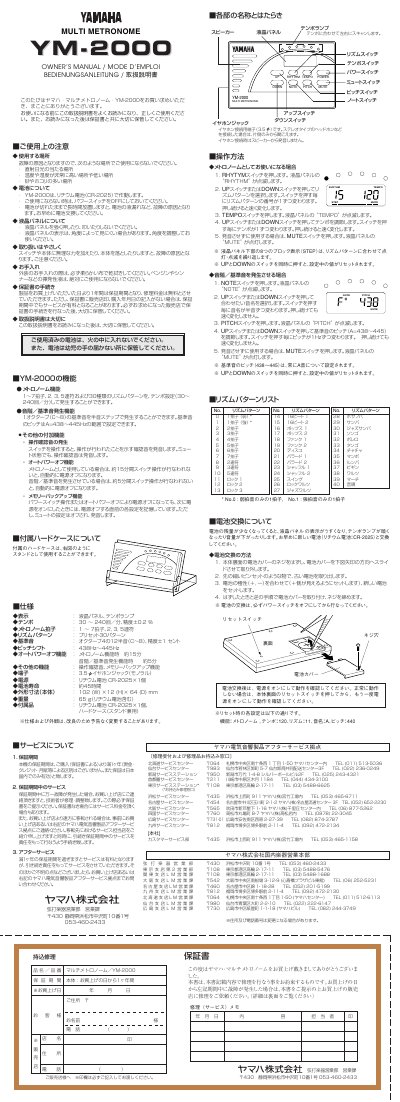
This document is the official owner's manual for the Yamaha YM-2000 Multi Metronome. It provides instructions on using the device as a standard metronome with 30 rhythm patterns, tempo settings from 30 to 40 bpm (or higher via speed-up), and various time signatures including 1 through 8 beats per measure, triplets, quintuplets, and rock variations.
The manual also details advanced features such as the reference tone generator (A=438-445Hz) with octave and pitch shift controls, operation confirmation sounds, auto power-off functions, and memory backup. It includes a complete list of rhythm patterns, battery replacement procedures using CR2025 lithium batteries, and Yamaha's after-service contact information. This manual is written in Japanese.
| Tempo Range | 30 to 40 bpm (adjustable speed) |
|---|---|
| Time Signatures | 1 to 8 beats, triplets, quintuplets |
| Reference Tone Pitch Range | A=438-445Hz |
| Battery Life | Approx. 45 hours |
| Dimensions (Body) | 108 x 71 x 84 mm |
| Weight | 65 g (with battery) |
The battery life is approximately 45 hours.
After resetting, the function is set to Metronome, Tempo to 120, Rhythm to 11, Note name to A, and Pitch to 440.
Yes, pressing the MUTE switch allows you to use the device without generating sound.