
This manual introduces how to connect the audio system, mainly including inspecting contents, placing speakers, connecting speaker wires and connecting surround and center speakers
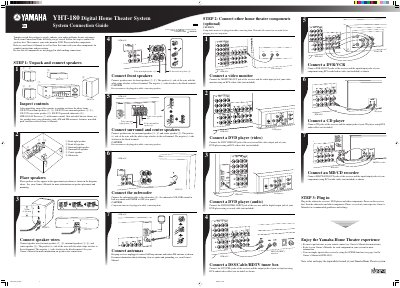
This document serves as a System Connection Guide for the Yamaha YHT-180 Digital Home Theater System. It outlines the initial setup process, instructing users to first unpack and connect the included speakers (front left/right, surround left/right, center) and the powered subwoofer before connecting other home theater components.
The system includes two front speakers (NX-E270), two surround speakers (NX-E270), one center speaker (NX-C270), a powered subwoofer (SW-P270), an AV Receiver (HTR-6025) with remote control, five speaker wires, one subwoofer cable, antennas, fasteners, non-skid pads, and three related Owner's Manuals.
The positive (+) side of the wire, identified by a white stripe, attaches to the red terminal. The negative (-) side attaches to the black terminal.
Components must not be plugged in while making connections; wait until all connections are made before plugging them in.