
This system connection guide explains how to connect the speakers, subwoofer, and receiver.
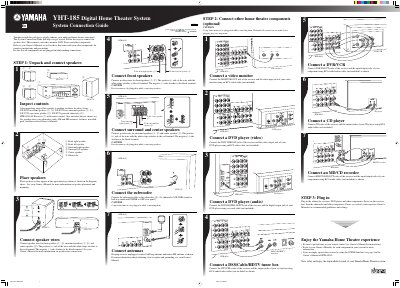
This document serves as a System Connection Guide for the Yamaha YHT-185 Digital Home Theater System. It outlines the steps to unpack and connect the included speakers (NX-E270 front/surround, NX-C270 center, SW-P270 subwoofer) and an HTR-6030 AV Receiver.
The guide provides instructions for connecting various optional home theater components, including DVD players, video monitors, set-top boxes, DVR/VCRs, CD players, and MD/CD recorders. It emphasizes safety precautions regarding power connections during the setup process.
The package includes two front speakers, two surround speakers, one center speaker, a powered subwoofer, an HTR-6030 AV Receiver with remote control, five speaker wires, one subwoofer cable, antennas, fasteners, non-skid pads, and three related Owner's Manuals.
The positive (+) side of the wire with the white stripe attaches to the red terminal.
Set the subwoofer VOLUME control to the half-way mark and POWER to OFF.