
This document is about the function description of the electronic piano, including voice reverberation type, touch sensitivity, reverberation depth, metronome volume, metronome / preset song tempo, metronome time signature, dual octave setting, dual balance sound, demo song, preset song.
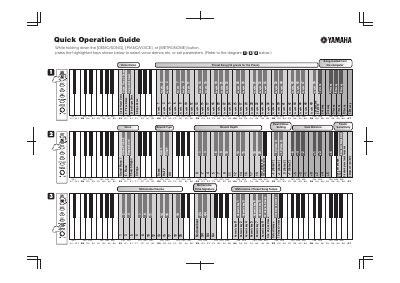
This document serves as a Quick Operation Guide for the Yamaha WG23430 electronic piano. It provides instructions on how to access and configure various settings by holding down specific buttons and pressing highlighted keys. Key functions covered include selecting voice demos (such as Grand Piano, E. Piano, and Strings), adjusting touch sensitivity, and setting reverb parameters.
While holding down the [DEMO/SONG], [PIANO/VOICE], or [METRONOME] button, press the highlighted keys shown below to select voice demos.
The guide indicates that songs can be loaded from a computer, with specific numeric keys assigned to different song numbers.
The standard pitch for the instrument is 440.0 Hz.