
YAMAHA I-3 RHYTHM PLAY ASSIST


YAMAHA I-3 RHYTHM PLAY ASSIST  - cover page
Brand
Yamaha
Category
Other Electronics
Document type
User Manual
Language
English
Pages
20
File format
PDF
File size
6.6 MB
Published
11 June, 2012
Updated
11 June, 2012
MD5 checksum
F5080A245FED0C28B2E9C1A02631D42F

About this manual

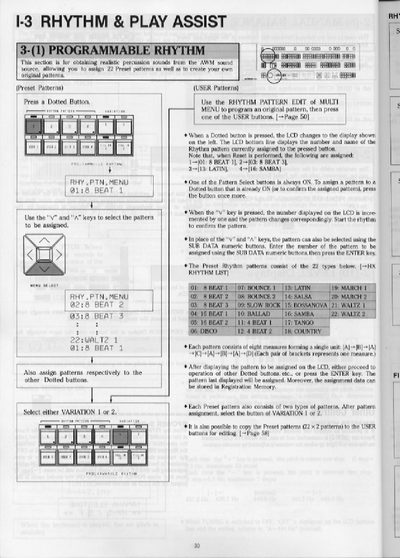
This document provides instructions for the Rhythm & Play Assist functions of the Yamaha HX-3 electronic organ. It details how to assign 22 preset rhythm patterns to dotted buttons and create original patterns. Users can control volume, balance, and tempo, as well as utilize Fill In, Intro/Ending, and Break patterns to enhance musical performance.

What's inside

  • Rhythm Pattern Assignment
  • Rhythm Controls
  • Fill In Patterns
  • Intro and Ending
  • Break Function
  • Keyboard Percussion
  • Chord Accompaniment
  • Auto Bass Chord

Specifications

Max Tempo240
Preset Patterns22 types
Pattern Measureseight measures

Frequently asked questions

How do I assign a preset rhythm pattern to a button?

Press a Dotted Button, use the 'v' and 'A' keys to select the pattern, then press the button again to assign it.

What is the maximum tempo setting?

The maximum tempo value that can be set is 240.

Download PDF (6.6 MB)

More Yamaha Manuals


View all Yamaha manuals →