
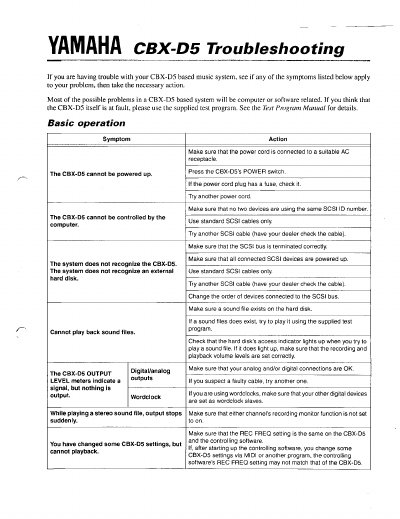
This document serves as a troubleshooting manual for the Yamaha CBX-D5 based music system. It addresses common problems such as failure to power up, inability to control via computer, and sound file playback errors.
The guide provides specific actions for symptoms related to hardware connections (SCSI bus termination, cables), software settings (REC FREQ matching, MIDI configuration), and internal functions like DSP effects and digital synchronization.
Ensure the power cord is connected to a suitable AC receptacle, press the POWER switch, check any fuse in the plug, or try another power cord.
Check if the SCSI bus is terminated correctly, ensure all devices are powered up, use standard cables only, or change the order of connected devices.
Ensure that either channel's recording monitor function is not set to on.
Ensure there isn't a signal loop between the digital/analog OUT 1/2 and IN 1/2 connections.