
OLYMPUS FE-230/X-790/FE-240/X-795 Digital Camera Quick Start Guide

This is a quick start guide to the Olympus FE-230/X-790 FE-240/X-795 camera, which introduces how to charge the battery, install the battery, turn on the camera, and the camera's 10 shooting modes.
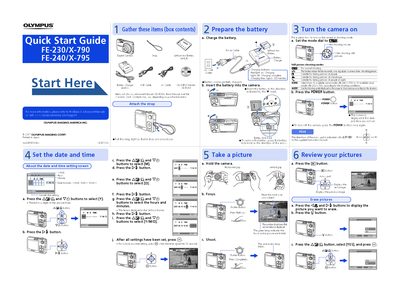

OLYMPUS FE-230/X-790/FE-240/X-795 Digital Camera Quick Start Guide - cover page
Brand
OLYMPS
Category
Digital cameras
Document type
Quick Start Guide
Language
English
Pages
1
File format
PDF
File size
878 KB
Published
08 June, 2012
Updated
30 September, 2023
MD5 checksum
6290ABEECCF87545796BC83177EFF4F5

About this manual

This document serves as a Quick Start Guide for the OLYMPUS FE-230/X-790 and FE-240/X-795 digital cameras. It lists the items included in the box and provides step-by-step instructions for initial setup, such as attaching the strap and setting the date and time.

What's inside

  • Gather these items
  • Attach the strap
  • Set the date and time
  • Prepare the battery
  • Turn the camera on
  • Take a picture
  • Review your pictures

Frequently asked questions

What is the approximate charging time for the battery?

The charging time is approximately 300 minutes.

How do I turn off the camera?

To turn off the camera, press the POWER button once again.

Download PDF (878 KB)