
This document is about how to connect the power cord
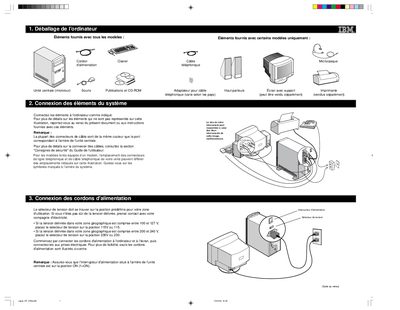
This guide walks you through connecting the IBM computer’s power cords, keyboard, mouse, monitor and optional accessories. It explains how to set the voltage selector for your region (115 V for 100‑127 V mains, 230 V for 200‑240 V mains) and how to power on the system safely.
After the hardware is connected, the guide instructs you to insert the software CD, accept the license agreement, and follow the on‑screen prompts to install the supplied Windows 98 software and any additional programs. It also notes the steps for connecting non‑Plug‑and‑Play devices and where to find further troubleshooting information. This manual is written in French.