
This document is the user manual for D6A4M-A4 Video Door Phone for Villa. It provides instructions on how to install and use the product, including the functions and operations of the door station and indoor phone.
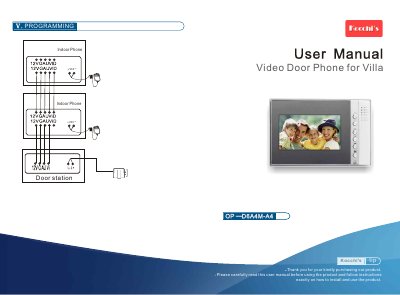
This manual explains how to install and use the tipOP D6A4M-A4 video door phone, a wall‑mounted intercom system for villas. It covers wiring, power connections, and basic setup procedures.
The guide details the functions of each key on the indoor phone, how to operate intercom, unlock, monitor, photo/video capture, and adjust settings such as ringing tones and image brightness. Technical specifications are listed for reference. This manual is written in Chinese.
| Operating temperature | -40 ℃ |
|---|---|
| Relative humidity | 45%~95% |
| Atmospheric pressure | 86 kPa~108 kPa |
| Fire endurance rating | IP33 |
| Working voltage | DC13.5 V |
| Static current | 130 mA |
| Working current | 600 mA |
| Dimensions | 255 × 165 × 35 mm |
| Installation method | Wall mounted |
| Net weight | 580 g~70 ℃ |
Press the Unlock key on the indoor phone while in intercom or monitor status to open the lock.
The system supports up to one outdoor phone with three indoor phones.
The device operates on a DC13.5 V power supply.