
This document is the user manual for the Video Server Module VS316m. It provides information on hardware description, quick installation and usage, web configurations, features, and specifications.
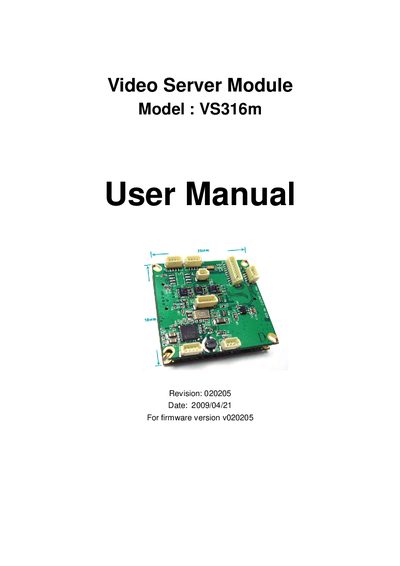
The VS316m video server module is a compact (38mm × 38mm) device that converts analog video to digital streams and delivers them over a network. It can be integrated into CCTV cameras or used as a standalone video server, with support for 3GPP/ISMA mobile viewing and optional NAS recording.
The manual covers hardware description, quick installation steps, web‑based configuration, video and audio settings, RS‑485 control, email/FTP alarms, scheduling, LED display control, and troubleshooting. It also includes appendices for 3GPP operation, third‑party integration, and a list of tested routers.
| Physical size | 38 mm × 38 mm |
|---|---|
| Resolution | D1 (720×480 NTSC, 720×576 PAL) |
| Video codec | MPEG4 |
| Audio codecs | AMR‑NB, MPEG2 |
| Pin pitch | 1.0 mm |
Connect the module to the network, install the CamView software on a PC, and enter the ID/password from the card.
No, the VS316m works with plug‑and‑play ID/password access without a public IP or DDNS.
The device streams MPEG4 video with either AMR‑NB or MPEG2 audio over RTSP.