
Polycom SoundPoint IP 330/320 Phone User Guide

This document is the user guide of SoundPoint® IP 330/320 SIP 2.1.1
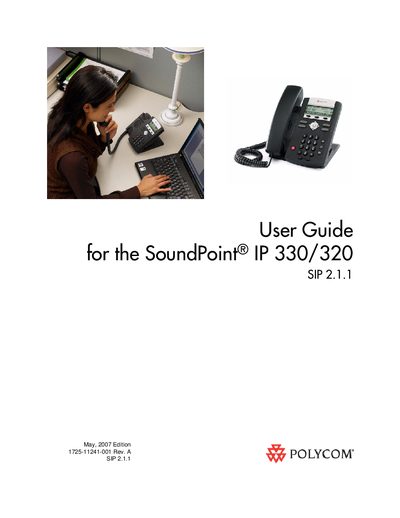

Polycom SoundPoint IP 330/320 Phone User Guide - cover page
Brand
SoundPoint
Category
Cell Phones
Document type
User Manual
Language
English
Pages
78
File format
PDF
File size
2.3 MB
Published
01 June, 2012
Updated
30 September, 2023
MD5 checksum
31F3973B94A2FF1D9982B5FC3A47CABF

About this manual

This guide introduces the SoundPoint IP 330/320 SIP phone, a full‑duplex, hands‑free business phone. It explains how to verify network readiness, assemble the handset, and connect power and network cables before first use.

The manual covers basic and advanced features such as multiple call appearances, call handling, voicemail, and integration with Microsoft Live Communications Server, plus a troubleshooting section for common audio, display, and power issues.

What's inside

  • Getting Started with Your SoundPoint IP 330/320 Phone
  • Parts List
  • Assembling Your SoundPoint IP 330/320 Phone
  • Connecting Network and Power Source
  • Connecting the Handset and Optional Headset
  • Features of Your SoundPoint IP 330/320 Phone
  • Customizing Your SoundPoint IP 330/320 Phone
  • Using the Basic Features of Your SoundPoint IP 330/320 Phone
  • Using the Advanced Features of Your SoundPoint IP 330/320 Phone
  • Troubleshooting Your SoundPoint IP 330/320 Phone

Specifications

Duplex modeFull‑duplex
Call appearancesMultiple

Frequently asked questions

What does the User Guide cover?

It provides everything needed to quickly use the new phone, including setup, feature usage, and troubleshooting.

How do I restart the SoundPoint IP 330/320 phone?

Refer to the "Restarting Your Phone" section of the guide for step‑by‑step instructions.

Download PDF (2.3 MB)

More SoundPoint Manuals


View all SoundPoint manuals →