
NanoBoard 3000 Series is a re-programmable hardware development platform from Altium that harnesses the power of a dedicated high-capacity, low-cost programmable device to allow rapid and interactive implementation and debugging of your designs. NanoBoard 3000 Series is the perfect entry-point to discover and explore the world of FPGA-based embedded systems design. NanoBoard 3000 Series programmable hardware realm allows you to update the design quickly and many times over without incurring cost or time penalties. NanoBoard 3000 Series works seamlessly and in full synchronization with Altium's next-generation electronic design solution, Altium Designer. NanoBoard 3000 Series motherboard features a high-capacity FPGA and provision for a single plug-in peripheral board (Altium or user's own) for additional system flexibility. NanoBoard 3000 Series has automatic peripheral board detection and configuration. NanoBoard 3000 Series features a dual boot system, allowing the board to update its firmware in the field by itself, over a standard USB connection – no parallel port or USB JTAG Adapter required. NanoBoard 3000 Series motherboard specifications Choice of high-capacity FPGAs - NanoBoard 3000XN – with fixed Xilinx® Spartan™-3AN device (XC3S1400AN-4FGG676C) - NanoBoard 3000AL – with fixed Altera® Cyclone™ III device (EP3C40F780C8N) - NanoBoard 3000LC – with fixed LatticeECP2™ device (LFE2- 35SE-5FN672C) Integrated color TFT LCD panel (240x320) with touch screen
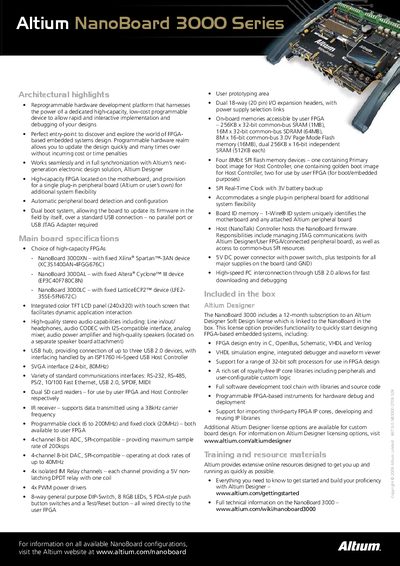
The NanoBoard 3000 is a reprogrammable hardware development platform that combines a high‑capacity FPGA on the motherboard with a plug‑in peripheral board for added flexibility. It works in full synchronization with Altium Designer and supports dual‑boot firmware updates over USB.
The board offers a 240×320 color TFT LCD with touch screen, stereo audio, multiple communication ports (RS‑232, RS‑485, PS/2, Ethernet, USB 2.0, S/PDIF, MIDI), dual SD card slots, programmable clocks, 4‑channel ADC/DAC, isolated relays, PWM drivers, and extensive on‑board memory including SRAM, SDRAM, Flash and SPI flash devices.
| FPGA (Xilinx) | Spartan‑3AN (XC3S1400AN‑4FGG676C) |
|---|---|
| FPGA (Altera) | Cyclone III (EP3C40F780C8N) |
| FPGA (Lattice) | ECP2 (LFE2‑35SE‑5FN672C) |
| Display | 240 × 320 color TFT LCD with touch screen |
| Audio | Stereo line in/out, headphones, audio CODEC, mixer, amp, speakers |
| USB Hub | Supports up to three USB 2.0 devices |
| SVGA Interface | 24‑bit, 830 MHz |
| Communication Interfaces | RS‑232, RS‑485, PS/2, 10/100 Fast Ethernet, USB 2.0, S/PDIF, MIDI |
| SD Card Slots | Dual SD card readers (user FPGA & Host Controller) |
| Programmable Clock | 6 to 200 MHz (programmable), 20 MHz (fixed) |
| ADC | 4‑channel 8‑bit, up to 200 ksps |
| DAC | 4‑channel 8‑bit, up to 40 MHz |
| Relays | 4 isolated 5 V non‑latching DPDT relays |
| PWM Drivers | 4 PWM power drivers |
| Memory | 256 KB × 32‑bit SRAM (1 MB), 16 M × 32‑bit SDRAM (64 MB), 8 M × 16‑bit Flash (16 MB) |
| SPI Flash | Four 8 Mbit SPI flash devices |
| Real‑Time Clock | SPI RTC with 3 V battery backup |
| Power Connector | 5 V DC connector with power switch |
It uses a dual‑boot system that allows firmware updates over a standard USB connection without needing a parallel port or external JTAG adapter.
The board includes high‑quality stereo audio with line in/out, headphone jack, an audio CODEC, analog mixer, power amplifier and dedicated speakers on an optional speaker board.