
This Quick Setup Guide provides instructions on how to set up a NEC display, and provides information about the display's specifications.
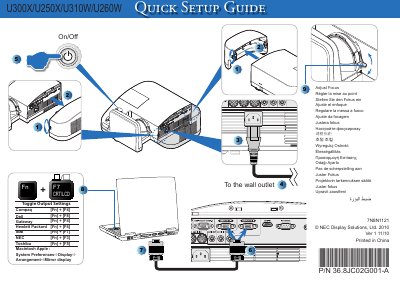
This quick user manual provides essential setup steps for NEC U300X, U250X, U310W, and U260W projectors. It includes multilingual instructions for adjusting focus, arranging displays, and basic configuration.
The document notes the part number P/N 36.8JC02G001-A, version 1 11710, and indicates it was printed in China. It is intended for end‑users needing fast reference to get the projector operational. This manual is written in Japanese.
Use the focus adjustment controls as shown in the manual (e.g., "AdjustFocus").
The part number is P/N 36.8JC02G001-A.